 Frama
Frama for iPhone
Your HTML, offline.
Frama keeps the games, tools and pages you made with AI or wrote yourself, and opens them full screen on your iPhone. Your own HTML files, in a library that feels like real apps.
- No account
- No ads
- No tracking
- No subscription
- Your files stay on your iPhone
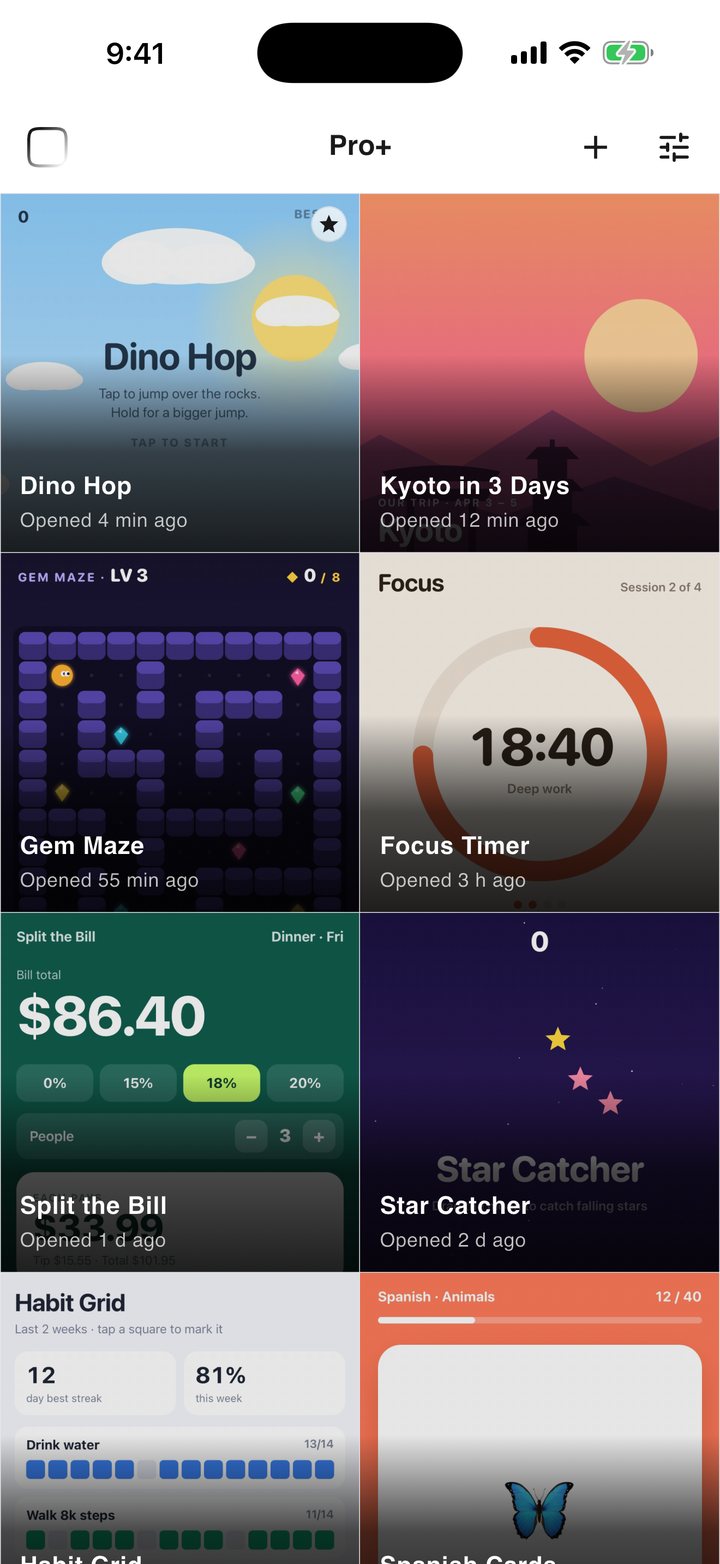
Your own files, kept like apps.
Add the HTML you made, and Frama gives each file a name, an icon and a full screen of its own. Everything stays on your iPhone.
Import from Files
Pick .html or .htm files, or a .zip with the images and sounds a page needs. Frama finds the main page itself, index.html first.
Paste HTML
Copied the code from an AI chat or your editor? Tap + → Paste HTML and it’s in your library.
Open in Frama
In Files, Mail, AirDrop or another app, share an .html or .zip file and pick Frama.
A library like real apps
A 2-column grid. Each file is named from its page <title> and gets an icon from its first screen, or any screen you choose.
Favorites and sorting
Pin the files you open most, and sort by recently opened, name or date added.
Full screen
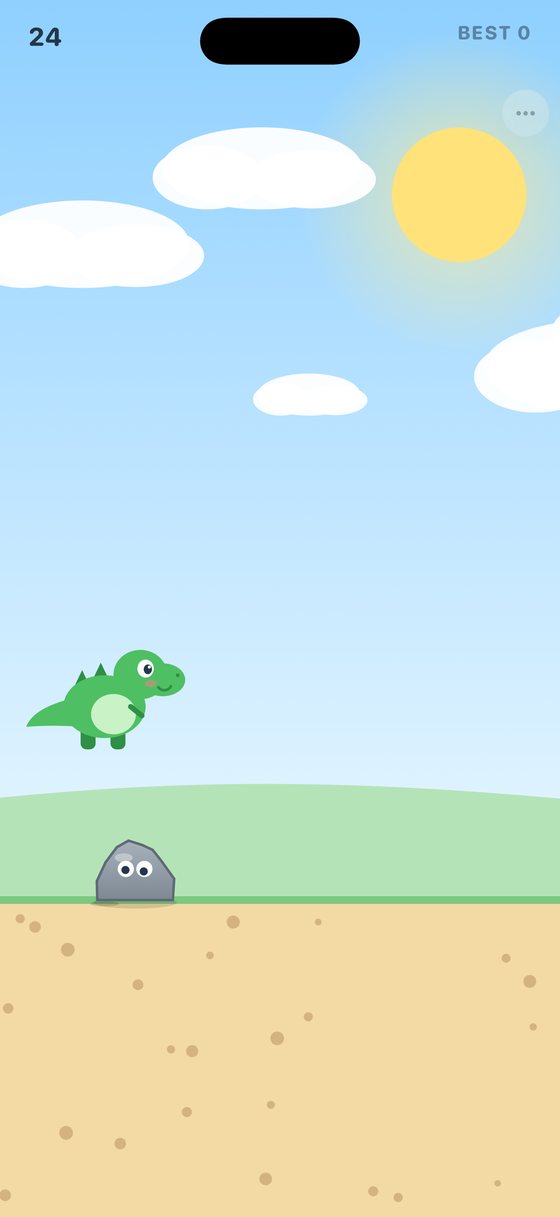
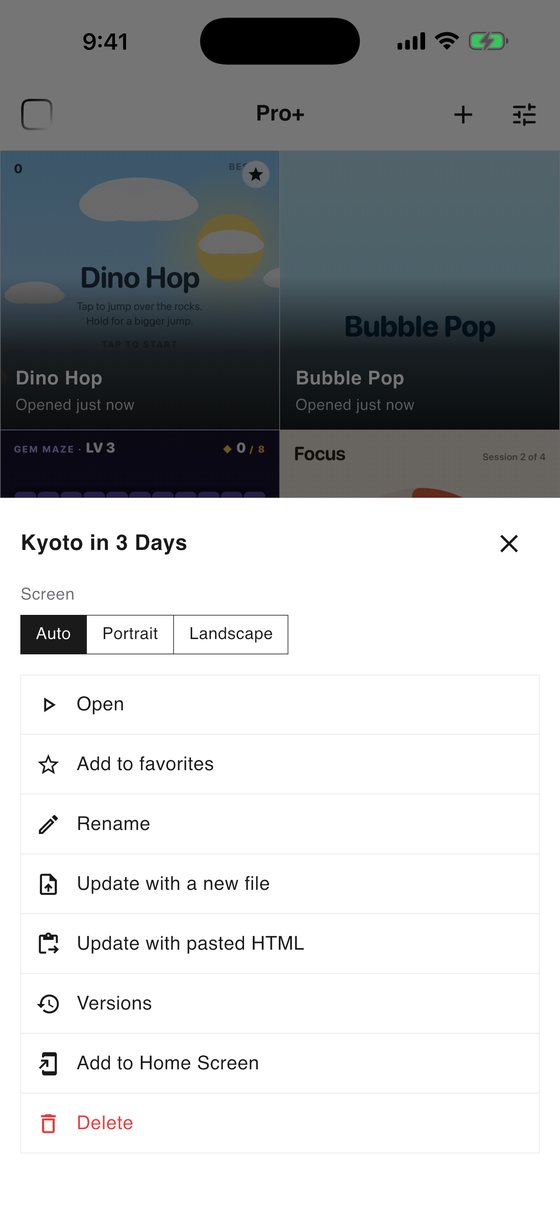
No status bar, nothing around your page. Choose Auto, Portrait or Landscape for each file.
Saves that stay
Each file runs from its own origin, so what it saves with localStorage or IndexedDB is there next time, and never mixes with another file’s.
On your iPhone, offline
Your files live on your iPhone and open without a connection. Pages that load scripts from the internet work when you’re online. Links to other websites open in Safari.
Try Dino Hop
An original sample game comes with Frama: tap to jump. Your high score is saved, so you can see saves stay.
Full screen, the way you made it.
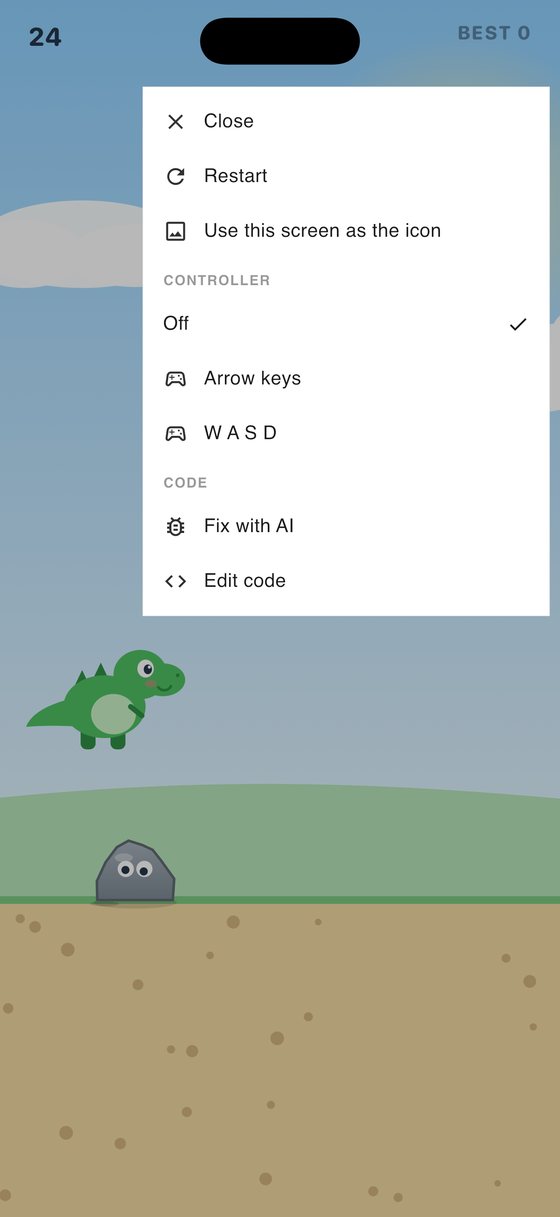
Screens from the app.
Made it yourself? Keep it working.
Pro gives you unlimited files and a passcode. Pro+ adds tools for people who make their own games, tools and pages.
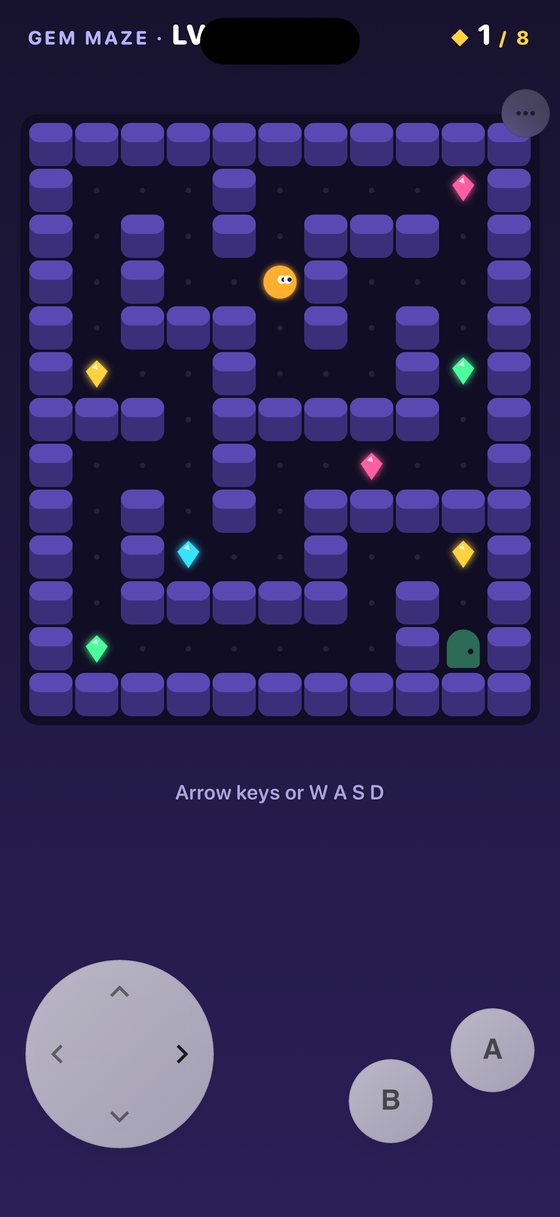
On-screen Controller PRO+
A D-pad that sends arrow keys or W A S D, with A for Space and B for Enter. A Bluetooth game controller is mapped to the same keys.
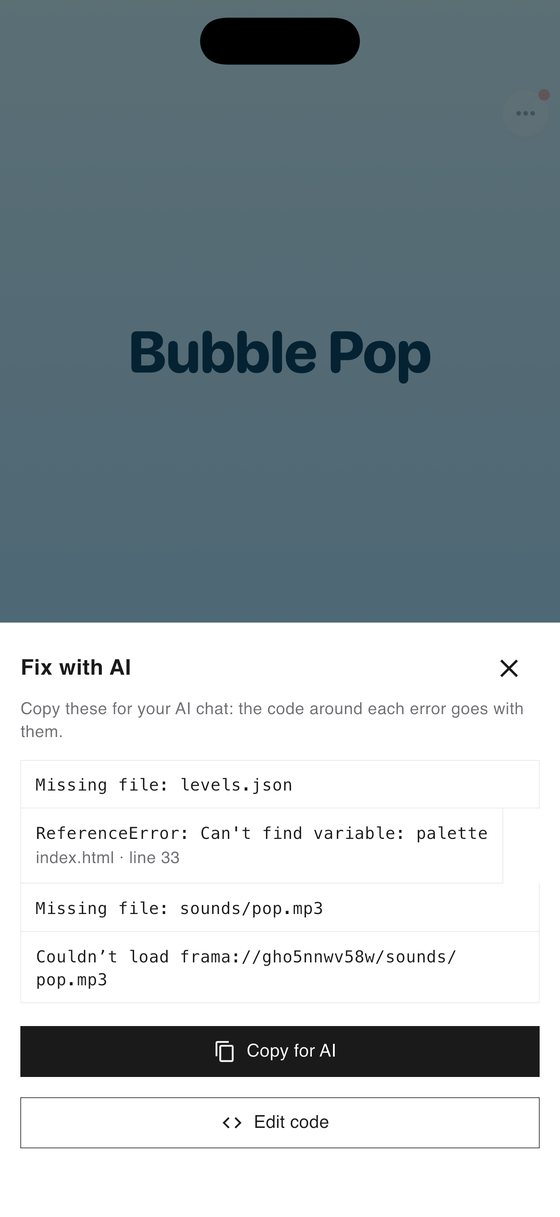
Errors & Code PRO+
See the page’s script errors, failed promises, console.error messages and missing files. Copy for AI copies them with the code around each line, for your own AI chat. Then edit the code in Frama. Copy for AI sends nothing anywhere.
Update & Versions PRO+
Replace a file with a new file or pasted HTML and keep its saves. Frama keeps 20 earlier versions, so you can roll back.
iCloud Backup PRO+
Save a zip of all your files, icons and settings to iCloud Drive from the Files sheet. Restore is free for everyone, up to the number of files their plan allows.
Home Screen Icons PRO+
Get a link and an icon for any file, with the steps to put it on your Home Screen with the Shortcuts app.
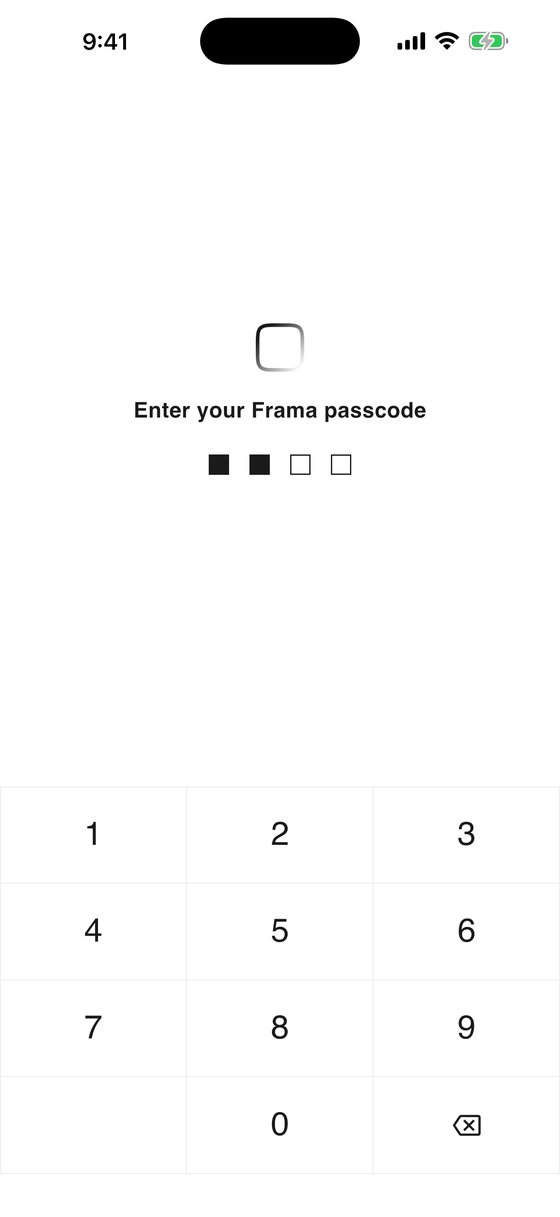
Passcode Lock PRO
A 4-digit passcode, asked every time Frama opens or comes back. It can’t be reset, so back up first.
What Frama doesn’t do.
Frama is a place for your files on your iPhone. It doesn’t need anything else from you.
No account
Nothing to sign up for. No email, no password.
No servers, no tracking
No analytics, no ads, no tracking. We don’t run a server for Frama, so your files, icons and settings never reach us.
AI only when you ask
Errors & Code copies text for you to paste where you choose. Edit with AI sends a file only to the AI provider you connect yourself, and only when you tap Send.
What does go online: anything your own pages load from the internet, which goes straight from the page to that server; links to other websites, which open in Safari; and purchases, through Apple. Privacy policy.
Pay once. Or not at all.
Frama is free for 3 HTML files. Pro and Pro+ are one-time purchases, not subscriptions.
Free
$0
- 3 HTML files
- Import from Files, Paste HTML and Open in Frama
- A library with icons, favorites and sorting
- Full screen, with the orientation you choose for each file
- Saves kept for each file
- Edit with AI (your own key, from ⋯ in a file)
Pro PRO
$9.99 once
- Everything in Free
- Unlimited HTML files
- Passcode Lock
Pro+ PRO+
$19.99 once
- Everything in Pro
- On-screen Controller
- Errors & Code
- Update & Versions
- iCloud Backup
- Home Screen Icons
Already have Pro? Upgrade for $9.99.
Prices in US dollars. The App Store shows the price for your country.
Questions people ask.
Which files can Frama open?
.html and .htm files, and .zip files that hold a page with its images, sounds and scripts. In a zip, Frama finds the main HTML file itself, and picks index.html first.
Does Frama work offline?
Yes. Your files are stored on your iPhone and open without a connection. If a page loads scripts or other files from the internet, for example from a CDN, those parts work when you’re online.
Will my game’s saves stay?
Yes. Each file runs from its own origin, so what it saves with localStorage or IndexedDB is still there the next time you open it, and never mixes with another file’s saves.
Is Frama a subscription?
No. Frama is free for 3 HTML files. Pro ($9.99) and Pro+ ($19.99) are one-time purchases. If you have Pro, the upgrade to Pro+ costs $9.99.
Does Frama have a store of games?
No. Frama has no store or catalogue and doesn’t download games or apps. It opens only the HTML files you add yourself.
Frama is coming to the App Store.For iPhone. Free for 3 files, with one-time Pro and Pro+.
Questions? Support